Faceless YouTube Automation Tools That Work
You can tell when a faceless channel is being run like a system versus a scramble.
The “scramble” version looks like this: you batch 10 videos, thumbnails are inconsistent, titles are guessy, and monetization is an afterthought. The “system” version looks boring from the outside – which is exactly why it compounds. Every video has a role in the funnel, every asset gets reused, and every tool exists to stabilize output, not to chase novelty.
If you’re building a privacy-first channel, faceless YouTube automation tools only matter when they reduce decision fatigue and protect consistency. Not when they add complexity.
The system logic behind faceless YouTube automation
Faceless channels win when they behave like structured media businesses: repeatable formats, predictable production, and monetization designed upfront.
A clean system has four layers:
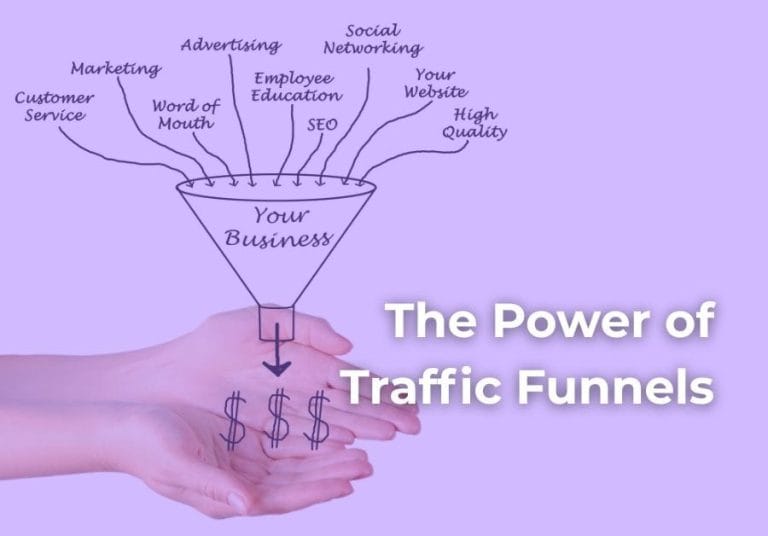
Traffic: YouTube search, suggested, and browse feed are the top-of-funnel.
Capture: you move interested viewers into an email list or a simple next step.
Funnel logic: a short path from “I watched” to “I trust” to “I bought.”
Monetization: ads are optional; affiliates and digital products can be intentional and ethical when you match them to viewer intent.
Automation tools should map to those layers. If a tool doesn’t improve one of them, it’s probably noise.
What “automation” actually means (and what it doesn’t)
Automation in YouTube is not “press a button, get a channel.” It’s controlled reuse.
You automate the repeatable parts: research, scripting frameworks, voiceover workflow, editing templates, thumbnail systems, upload checklists, and analytics reviews. You do not automate your judgment. That’s the part that keeps the channel coherent and monetizable.
Also: the most valuable automation is often low-tech. A naming convention, a folder structure, and three templates can outperform a new AI tool you don’t fully control.
Faceless YouTube automation tools by workflow stage
Below is the tool stack breakdown that tends to create the most leverage for faceless channels. Not because these are the “best tools,” but because they support a stable production line.
1) Channel positioning and topic research tools
Faceless channels get stuck when topic selection is reactive. The tool goal here is to define repeatable content lanes.
YouTube Studio is still the first tool. Your own analytics will eventually outperform any third-party dashboard because it reflects your audience’s behavior – not general trends.
For external research, tools like vidIQ and TubeBuddy can be useful for packaging decisions: title patterns, keyword variations, and competitive baselines. The trade-off is that they can create false certainty. A “score” does not mean your channel can win that topic. Use these tools to generate options, then filter with your lane and your monetization plan.
The quiet advantage: build a topic library.
A simple database in Notion or Airtable can track keywords, video angles, target viewer problem, suggested affiliate fit, and the CTA you’ll use. That’s automation through structure.
2) Scripting tools that keep output consistent
Scripting is where most faceless channels either become excellent or fall apart.
Google Docs is enough if you work solo. If you work with freelancers, collaborative commenting and version control matter more than fancy features.
Notion works well for a repeatable script template – hook, setup, steps, proof, CTA – plus a checklist at the bottom so nothing gets missed.
AI writing support can help, but only with guardrails. Tools like ChatGPT or Claude are best used for:
- generating alternative hooks for the same video
- creating outline variations within a defined format
- compressing a long draft into tighter voiceover language
- producing B-roll shot lists based on a finished script
Where it can hurt you: if you let AI choose the angle. Angle selection is strategy. If you outsource it to a model, your channel starts sounding like every other channel.
3) Voiceover: human, AI, or hybrid
Voiceover is a workflow decision, not a moral debate.
Human voiceover (your voice or a contractor) tends to increase trust, especially for anything finance-adjacent, education, or product recommendations. It also slows production and requires more coordination.
AI voice tools like ElevenLabs or Descript’s AI voices can work when your content is informational and your scripting is tight. The trade-off is brand risk: if your voice becomes too generic, your retention drops and your channel feels disposable.
A hybrid approach is often the best “automation” for privacy-first creators: use AI for early drafts and internal testing, then switch to human voice for your highest-performing formats. That keeps quality aligned with what the data proves is working.
4) Editing tools that protect your time
Editing is where most creators over-invest. If your channel is faceless, the goal is not cinematic perfection. The goal is watchability and consistency.
CapCut is strong for fast template-based edits, captions, and motion elements. It’s a good fit for builders who want a low-learning-curve tool that still produces clean output.
DaVinci Resolve is powerful and free, but it can be too much if you’re trying to stabilize a system quickly. Use it when you have a dedicated editor or you’re committed to a longer ramp-up.
Premiere Pro is the “industry default” for teams, mostly because of project handoff and plugin ecosystems. The trade-off is subscription cost and complexity.
Descript is worth mentioning because it changes the editing workflow: you edit video by editing text. For faceless channels heavy on voiceover, this can reduce time dramatically.
If you want real automation, build project templates: pre-made timelines, intro/outro sequences, lower-thirds, and audio presets. The tool matters less than having the template.
5) Thumbnail and packaging tools
Faceless channels live or die on packaging. Not because of clickbait, but because clarity wins.
Canva is enough for most thumbnails, especially if you build a simple system: two fonts, two colors, and three layout patterns you rotate.
Photoshop gives more control when you need advanced cutouts and lighting matching, but it’s not a requirement.
The more important automation is a thumbnail checklist: one focal point, 3-5 words max (often fewer), high contrast, and a consistent brand mark. That’s what stops you from redesigning from scratch every time.
6) Upload, scheduling, and asset management
This stage is where small systems create the biggest calm.
YouTube Studio scheduling is reliable. Pair it with a written upload checklist so you don’t forget end screens, pinned comments, or chapter markers.
For asset management, Google Drive or Dropbox works if your folder structure is disciplined. If you collaborate with editors, frame.io (or similar review tools) can reduce back-and-forth, but only if you enforce a review process.
A simple structure that scales:
Video Name > Script > VO > Project Files > Exports > Thumbnail > Metadata
That is not glamorous. It’s leverage.
7) Analytics tools for decision-making (not obsession)
Analytics is automation when it tells you what to repeat.
Start with YouTube Studio: CTR, average view duration, relative retention, and traffic sources. Your job is to connect those metrics to decisions.
If CTR is low, packaging needs work.
If retention drops early, your hook and setup are the problem.
If videos perform but subscribers don’t convert to email clicks, your CTA placement is off.
For deeper tracking, you can use UTM parameters and a basic dashboard in Google Analytics if you’re driving to a site. The key is to measure what connects to monetization, not vanity.
Tools don’t create income. Funnel alignment does.
A faceless channel without a capture step is renting attention from YouTube.
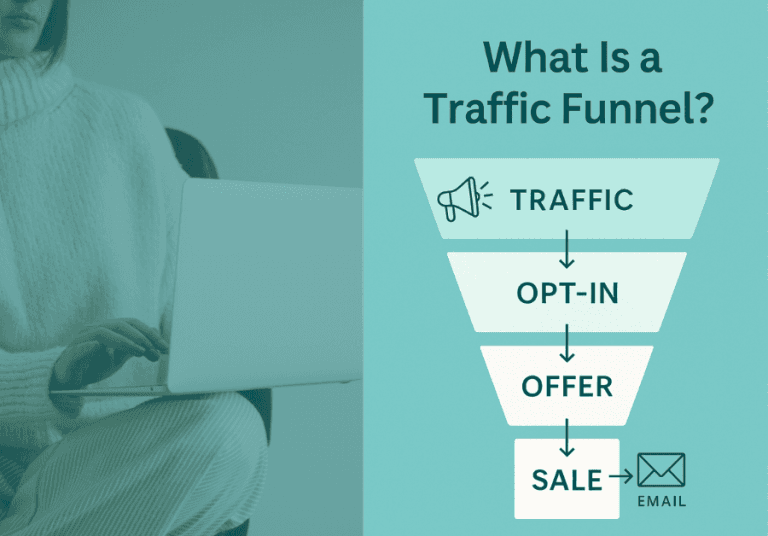
The simplest ethical funnel is:
Video solves a specific problem -> CTA offers a related free resource -> email sequence recommends the next best step -> affiliate product or digital product fits the viewer’s intent.
This is where “faceless” becomes an advantage. You’re not selling personality. You’re selling structure.
If you want a structured way to map traffic to capture and monetization without building a personality brand, start with The 3-step Invisible Income Blueprint.
A realistic tool stack that won’t melt your brain
Most people don’t need 12 subscriptions. You need a stable pipeline.
A practical baseline stack looks like: YouTube Studio for research and scheduling, Notion or Google Docs for scripts, one voice solution (human or AI), one editing tool with templates, Canva for thumbnails, and a single place to store assets. Add vidIQ or TubeBuddy only if you’re actually using the data to make packaging decisions.
If you’re hiring help, prioritize tools that make handoffs clean: shared folders, clear templates, and one feedback channel.
The trade-off is that “simple” can feel slow at first. But once your templates exist, the system speeds up without adding chaos.
The quiet rules that keep faceless automation ethical
Faceless YouTube gets a bad reputation because some creators treat it like a content mill. You don’t need to.
Use AI as a drafting assistant, not a truth source. Verify claims, cite sources in your own research notes, and avoid medical or financial promises.
Don’t recommend affiliate products you haven’t vetted. If you can’t explain who it’s for and who it’s not for, you’re not ready to link it.
And keep your channel promise consistent. If your channel is “simple budgeting systems,” don’t randomly publish “top 10 side hustles.” Automation makes inconsistency faster, not better.
The closing thought
If you’re choosing faceless YouTube automation tools because you want less visibility and more leverage, your north star is not speed. It’s stability. Build a workflow you can repeat when life is busy, your energy is low, and motivation is not available. That’s the version that compounds quietly.